Workspaces and roles
Updated 18 October 2026
A workspace is one business, team or project in PelQi Work, with its own responsibilities, approvals, memory and connections. People join a workspace with a role that decides what they can see and do.
Starting a workspace needs the pilot or PelQi Max. Anyone with a PelQi account can be added to one.
Start a workspace
- Open Work and choose New workspace. This shows if you are on the pilot or on Max with fewer than three workspaces of your own.
- Enter the company or team name and choose Start.
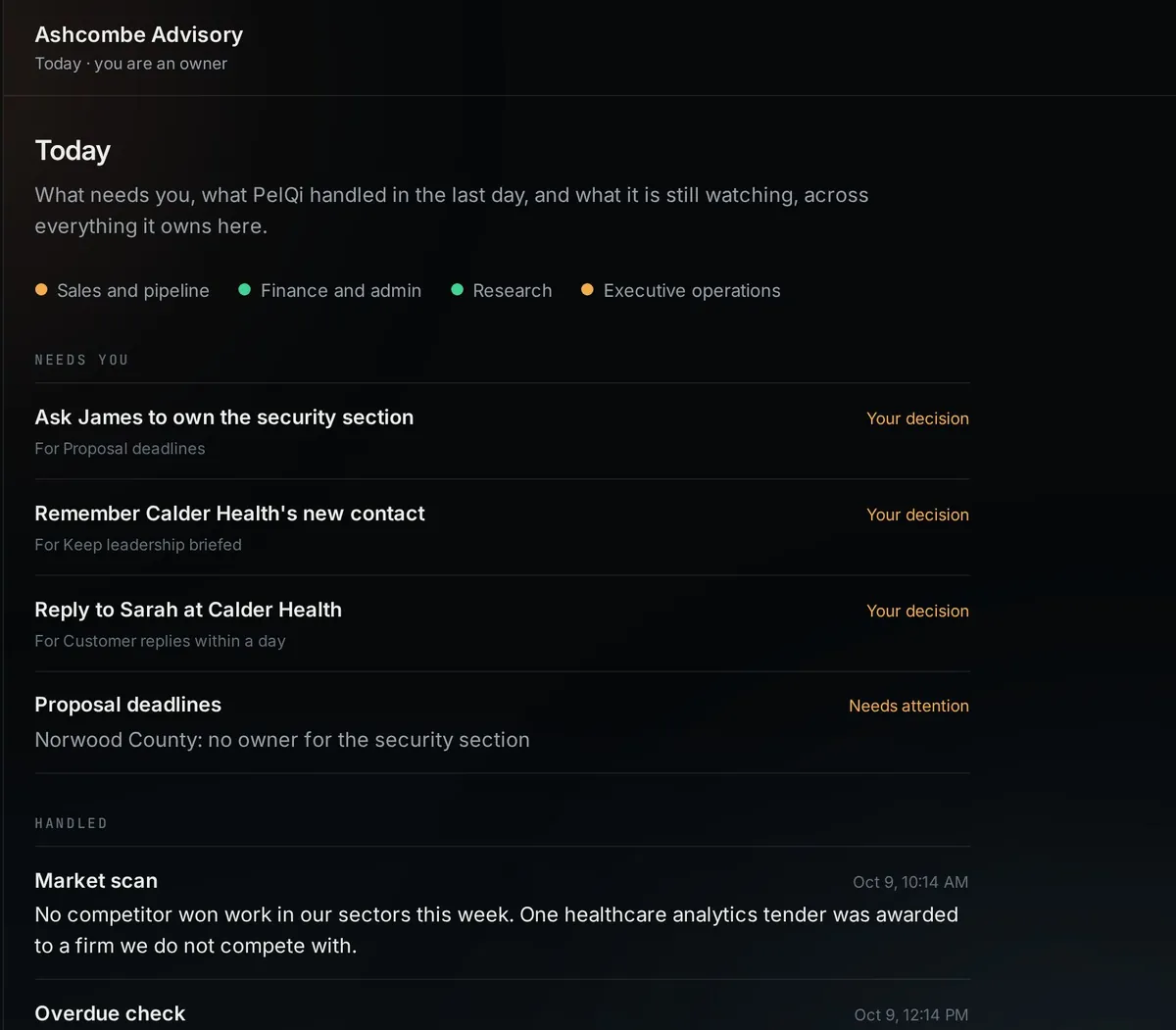
- You are its owner. Today shows what needs you once PelQi has responsibilities to work on.
Add people
- Open People in the workspace.
- Enter their PelQi email (they need a PelQi account first) and pick a role.
- Choose Add. The workspace appears in their Work menu.
Roles
- Viewer: can read.
- Member: can also change Work Memory.
- Admin: can also manage people and decide approvals that need an owner or admin.
- Owner: can also manage owners, and use the workspace's stop switch.
Memory and connections
- Memory is what PelQi knows about the business (the company, customers, projects, decisions, how you do things), editable and restorable. Passwords and similar secrets are refused.
- Connections shows which business systems this workspace can use, each marked Connected, Available or Not connected. Connections belong to the workspace, never to anyone's personal PelQi.
- Shared mailboxes. Under Microsoft 365 an owner can list shared mailboxes (a company info@ address, say) that PelQi may read, and allow it with one more sign-in. Roles and Ask PelQi can then search and read those inboxes, read only: PelQi never drafts or sends from a shared mailbox, and it reports each one in its own section with cold pitches counted rather than described.
What it can and cannot do
- One person can belong to many workspaces, each with its own role.
- Everything in a workspace (responsibilities, approvals, memory, connections) stays in that workspace.
- Work Memory refuses passwords and similar secrets.
- A Max subscriber can own up to three workspaces; a workspace owned by someone on Max uses that owner's weekly agent allowance, for its runs and for talking to PelQi Work in the app, in Teams, by phone or through your own PelQi.
If it does not work
- Adding someone fails: check they have a PelQi account with exactly that email.
- No New workspace: you are not on the pilot, or you already own three workspaces on Max.
Still stuck?
Email info@fortisdatagroup.com with what happened, what you expected and the device you use (for example, iPhone app, or Chrome on Windows). A person reads every message and answers within two working days. Never send a password or a code.
Common questions are also on the support page.