Dinner, sorted
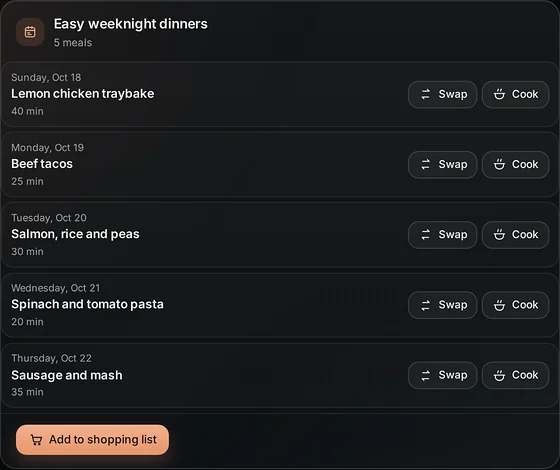
“I’ve got salmon, rice and half a lemon.” A recipe comes back with a cook mode that reads each step aloud, and the missing ingredients go on the family shopping list in one tap.
PelQi is a companion for the whole household. Talk to it or type, and it helps with dinner, homework, plans and the week ahead. It keeps track of what matters and follows up, with a face that smiles when you share good news.
Free to start, with Plus, Family and Max when you want more. Runs in the browser on any phone, tablet or computer, installs like an app, and answers its own phone number.
“I’ve got salmon, rice and half a lemon.” A recipe comes back with a cook mode that reads each step aloud, and the missing ingredients go on the family shopping list in one tap.
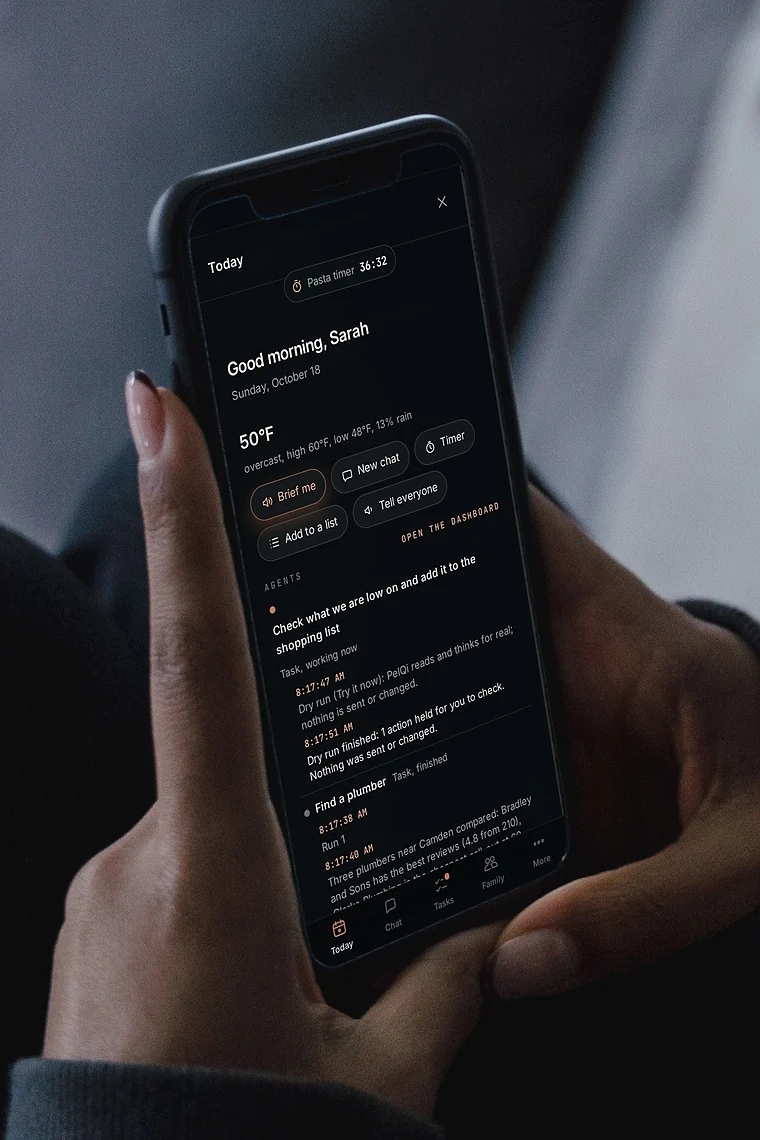
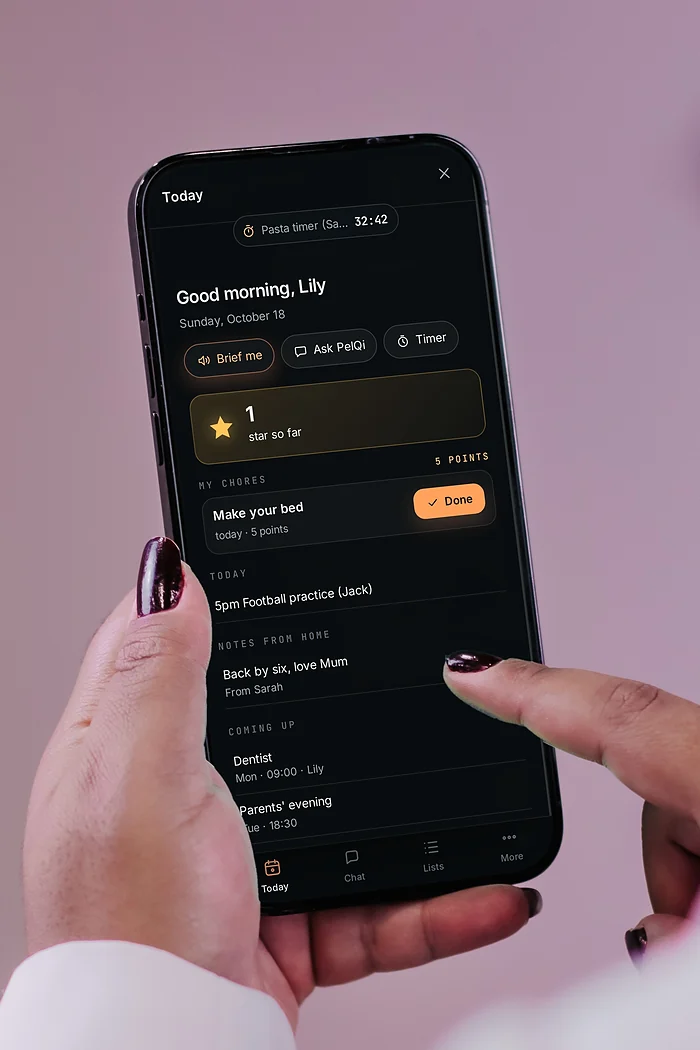
“Set a 12 minute pasta timer.” It counts down on the hands-free screen and rings there and on your phone; stop it on whichever is nearest and the others go quiet. Then “tell everyone dinner is ready”: PelQi says it out loud on everyone’s screens at home, and Oliver taps On my way. Timers and alarms are free on every plan; announcements come with Plus, Family and Max.
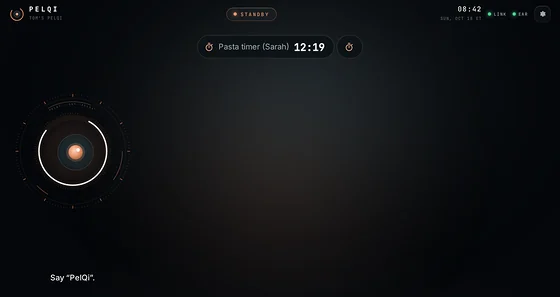
“Good morning.” PelQi reads the weather, the family calendar, what is scheduled, reminders and the shape of the day, the same on the hands-free screen, in the app or on a call. At bedtime one word sets the morning alarm and quiet hours. Routines like these never use your allowance.
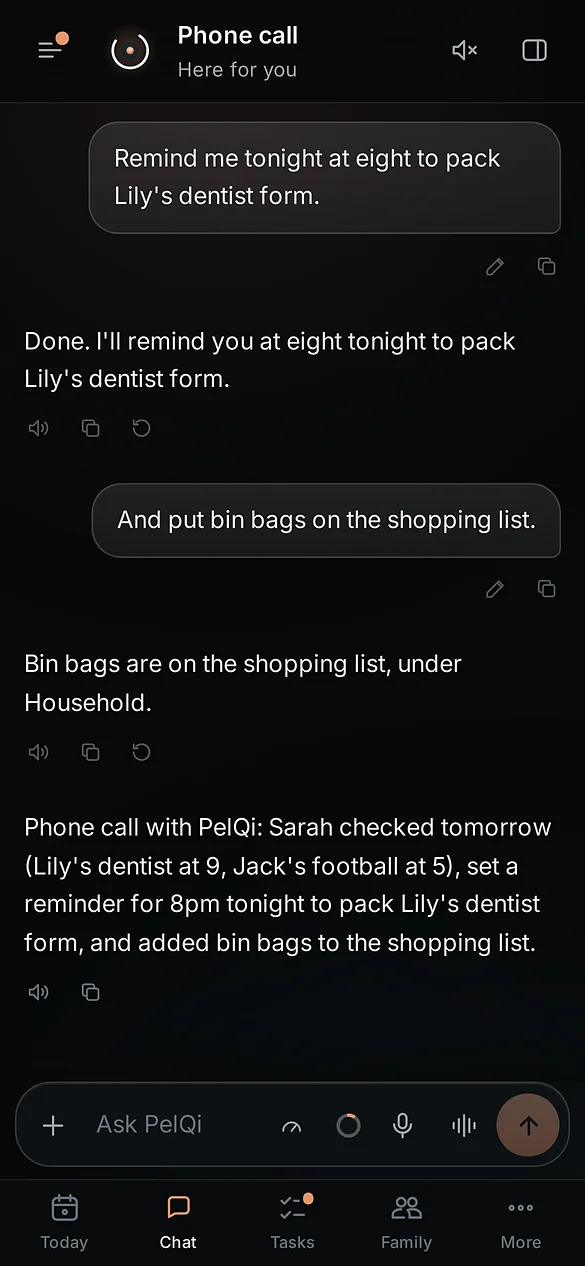
“What’s on tomorrow?” With the shopping in both hands, Sarah calls PelQi from her saved mobile, says her phone PIN, and talks to her own PelQi: tomorrow’s plans, a reminder for eight tonight, bin bags on the list. When she hangs up, the whole call is in her app as a Phone call chat with a summary. If PelQi lines up a call to a business while she talks, it reads it back and places it only after a clear yes. Plus, Family and Max.
Ask for this week’s dinners and PelQi plans them around what you have in the fridge and what everyone likes, keeps out anything someone is allergic to, and puts the ingredients on the shopping list grouped by aisle, nothing twice.
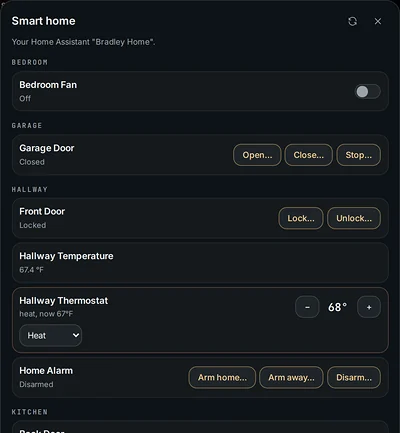
“Turn off the downstairs lights.” With your own Home Assistant linked, PelQi does it straight away, from the app, the hands-free screen or a call. “Lock the front door” puts a card in Approvals instead: locks, alarms and garage doors always wait for your tap.
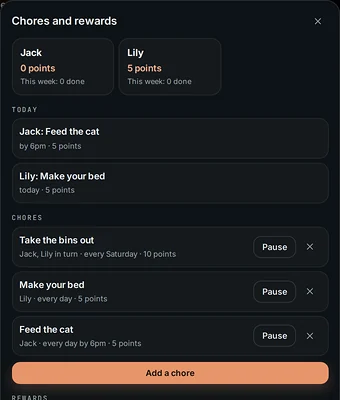
Lily ticks off emptying the dishwasher on her PelQi. You confirm it, her points go up, and on Friday she asks for film night with them. Rewards are treats at home; no money moves.
Oliver asks for help with his seven times table. PelQi quizzes him, gives a hint when he is stuck, and hands out a star when he gets there on his own.
“My passport runs out in May.” PelQi keeps track of it without being asked, reminds you when it is time, and asks afterwards how it went.
Hotels, homes and a car for the dates you want, ready to open with everything filled in. You book and pay on the provider’s own site.
“Find three well-reviewed plumbers who can come this week.” PelQi takes it on as a task and works on it while you get on with your day: it reads the reviews in its own browser and posts a comparison in the task’s chat, with every source it used. Anything that leaves the house waits for your tap.
“Every weekday at 7, check the school calendar and tell me what to pack.” PelQi says it back with the first run and starts once you confirm. Each morning a short report lands in its own chat with a notification, and you can pause it, skip a day or run it now. A plain “remind me at 6pm to call Emma” is just a reminder, on every plan.
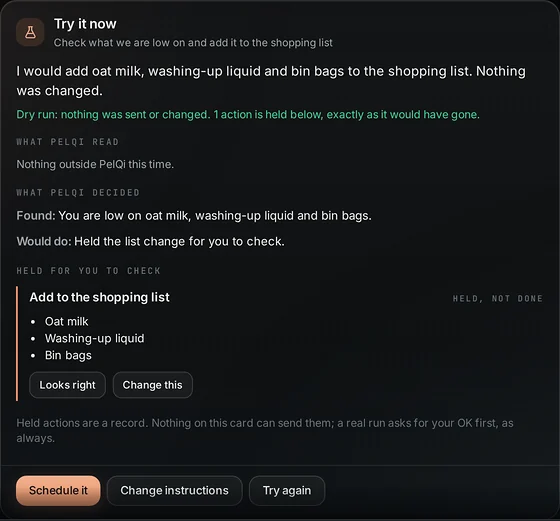
“Every Friday at 4, plan next week’s dinners and put the shopping on the list. Try it first.” PelQi does the whole job for real, reading and thinking as it would on Friday, and stops before anything leaves the house. You see exactly what it would have done: the meals, the shopping list, the message word for word. Say it looks right, tell it what to change, then schedule it. Most assistants show you what they did afterwards; PelQi shows you first.
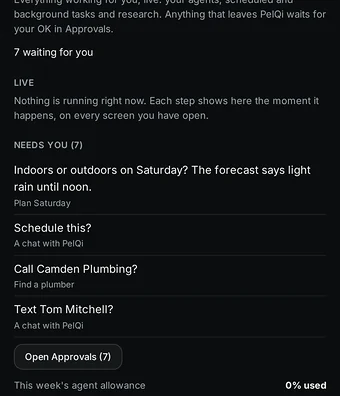
The plumber’s call PelQi lined up, the booking step on the library site, the schedule you asked for and the question your weekend plan is waiting on, all in Approvals, each with exactly what will happen. Allow it, decline it with a reason, or clear several at once. Nothing goes until you say so, and nothing goes twice.
“Watch this page and tell me when the trainers drop under $80.” An agent checks for you all day, and checking costs nothing until something changes. Then it tells you, with the price and the link. Others can watch a school notices page, tomorrow’s family calendar or an inbox you connect. Try each one first, and watch each step live while it works; anything that leaves PelQi waits for your yes, and one switch stops them all. Agents come with PelQi Max.
“Check the library for the new walking guide and put it on hold.” PelQi opens the library’s site in its own browser and a card in the chat shows it live, its pointer moving to each thing before it clicks. It asks you before it places the hold, and it never types a password or card number: you tap Take over and type it yourself. Stop closes it at any time.
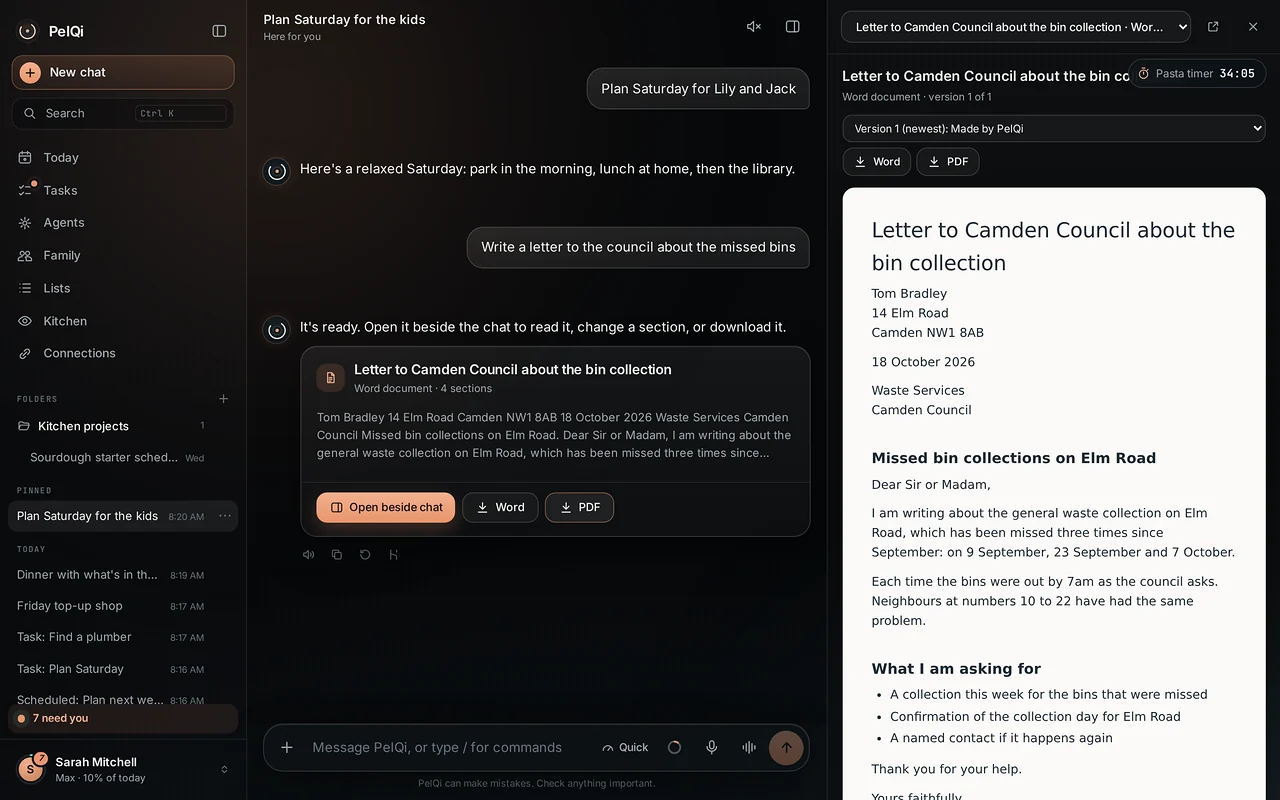
“Make me a budget for November from these bills.” PelQi makes a real Excel file, with the formulas and totals worked out, and puts it on a card in the chat. Open it beside the chat, ask it to change one part, and every version is kept. A letter to the council comes back as a Word document the same way. Plus, Family and Max.
“When are the half terms?” Attach the school handbook and PelQi answers with the page it found it on. For a bigger question, switch to Research: PelQi searches and reads across the web while a card shows its plan and every source. Pause it, or tell it “indoor places only, it will rain” and it changes course. Keep typing while it answers and your next messages wait their turn. Save any chat as a Word file or a PDF. Plus, Family and Max.

PelQi has its own number, shown in Settings, You, Phone. Save your mobile and a phone PIN there, then call from anywhere: in the car, at the shops, with the shopping in both hands. Ask what is on tomorrow, add to a list, set a reminder. The call lands in your app as a Phone call chat with a summary.
On a computer or a tablet, PelQi keeps Today, Tasks, Agents, Family, Lists and the hands-free screen in a sidebar, with your chats in folders and one search for everything. Ask for a letter, a budget or a chart and it opens in the canvas beside the chat: read it, change a section in plain words, then download a real Word or PDF file.
Lists, notes to each other and a family calendar that also shows in Google, Apple or Outlook Calendar, with school and club dates added from their own calendars. A nudge comes an hour before plans.
No email needed. It guides homework instead of handing over answers, keeps things age-appropriate, and a grown-up PIN switches back.
Each person’s chats and memory are theirs alone. PelQi shows a plain record of everything it has done, and forgets on request.
Make your PelQi in a minute: your name, an email, a voice you like. Then invite the rest of the house.
Photos are licensed stock and show models, not PelQi customers. The screens are PelQi. Booking.com, Airbnb, Expedia, Kayak and Google Flights are trademarks of their owners. PelQi opens their public search pages with your details filled in; you book and pay with them directly. No partnership or endorsement is implied.