Hand PelQi the outcome. Keep the decision.
PelQi Work is a chief of staff that owns responsibilities, not one-off tasks. It checks on each one every day, shows you what it found and why, and waits for your yes before anything consequential leaves the building.
In a private pilot. Each workspace is sealed off from every other, and from anyone’s personal PelQi.

What needs you. What it handled. What it is watching.
One screen for the whole business. A dot for each area PelQi works in: green when healthy, amber when something needs you, red when it is blocked.
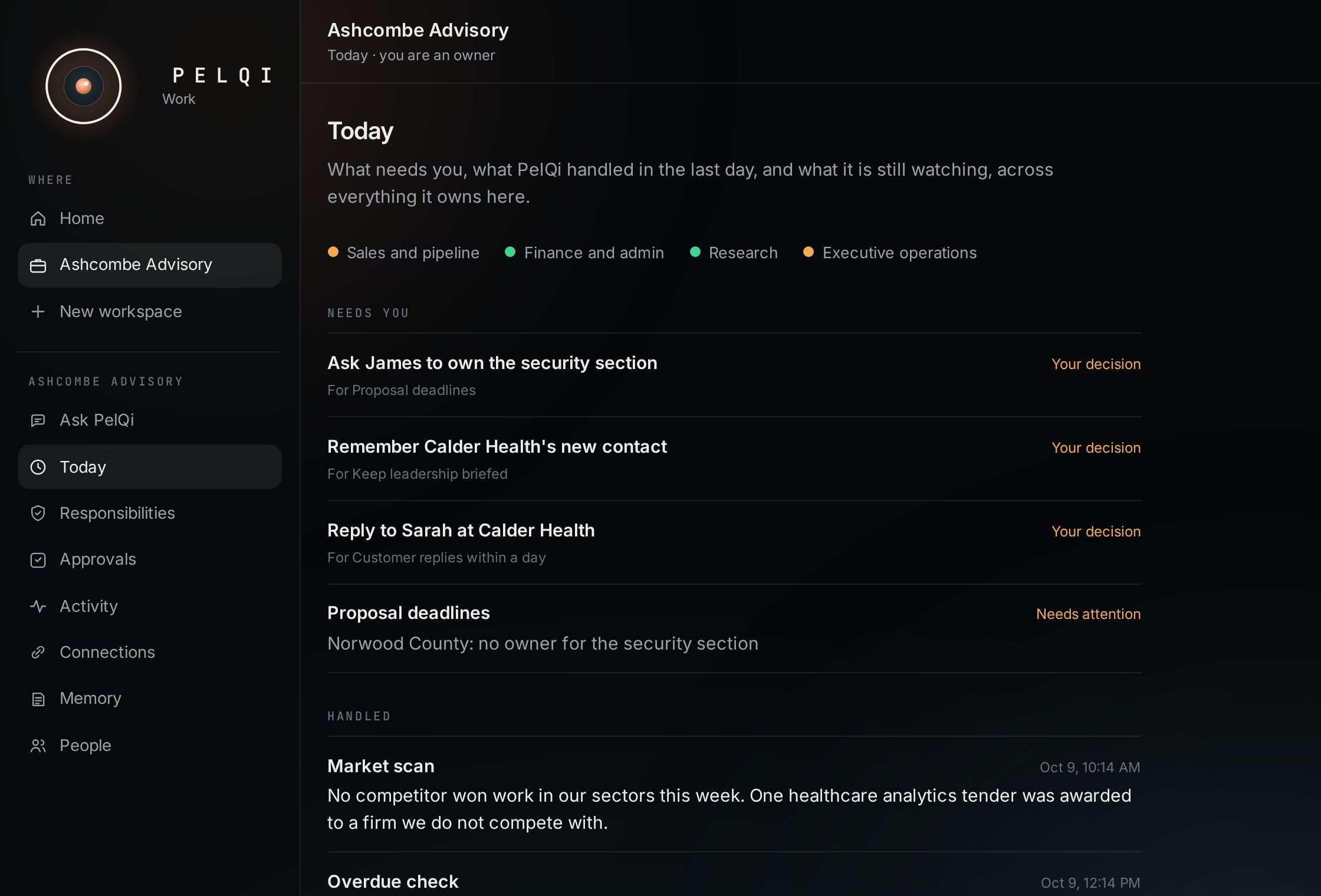
Needs you
Decisions waiting for your yes, and anything off track, with the reason in one line.
Handled
What PelQi finished in the last day, in sentences a busy owner reads in ten seconds.
Watching
Renewals, deadlines and open threads it keeps an eye on between runs, until they close.
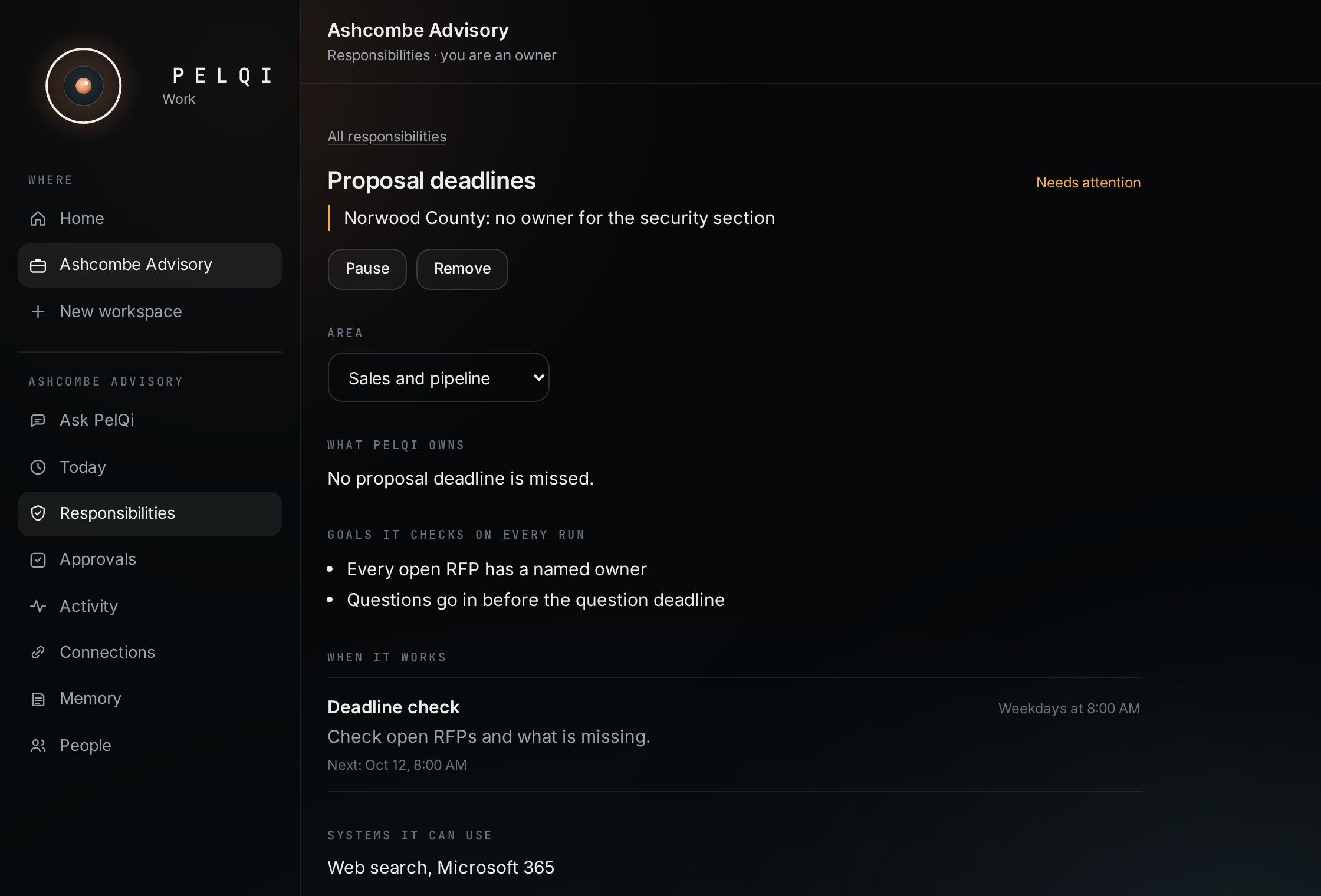
An outcome, not a to‑do.
Describe what you want owned in plain words. PelQi drafts the responsibility: the outcome, the goals it checks on every run, when it works, what it may do on its own, what needs a person, and what it must never do. Nothing runs until you activate it.
- Goals checked and reported on every run
- Health that follows the evidence, not a feeling
- Pause one, or stop everything with one switch
Not a team of bots. One PelQi that changes hats.
Each responsibility works in the area that fits it, with that area’s habits and the Work Memory it leans on first. You still talk to one PelQi, and Activity says which hat it wore.
General Sales and pipeline Finance and admin Engineering Research Executive operations Growth
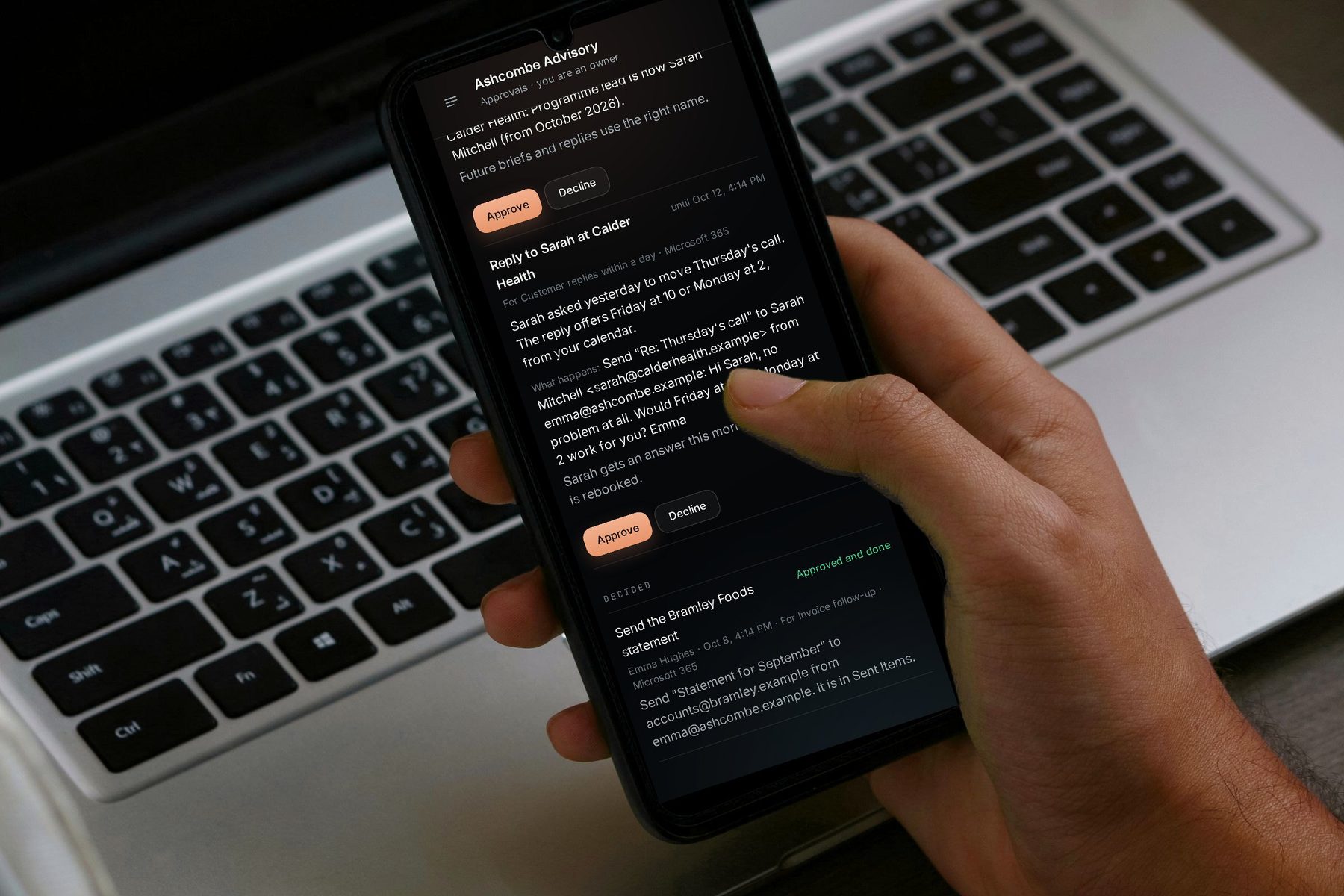
It prepares. You approve.
When a run needs something sent, changed or remembered, it waits in Approvals with why, exactly what will happen, and the evidence. Approve from your phone. PelQi checks it still makes sense, does it, confirms the result, and records it.
- Only the owner of a mailbox can send from it
- Declined with a reason, and the next run reads it
- Unanswered requests lapse after three days
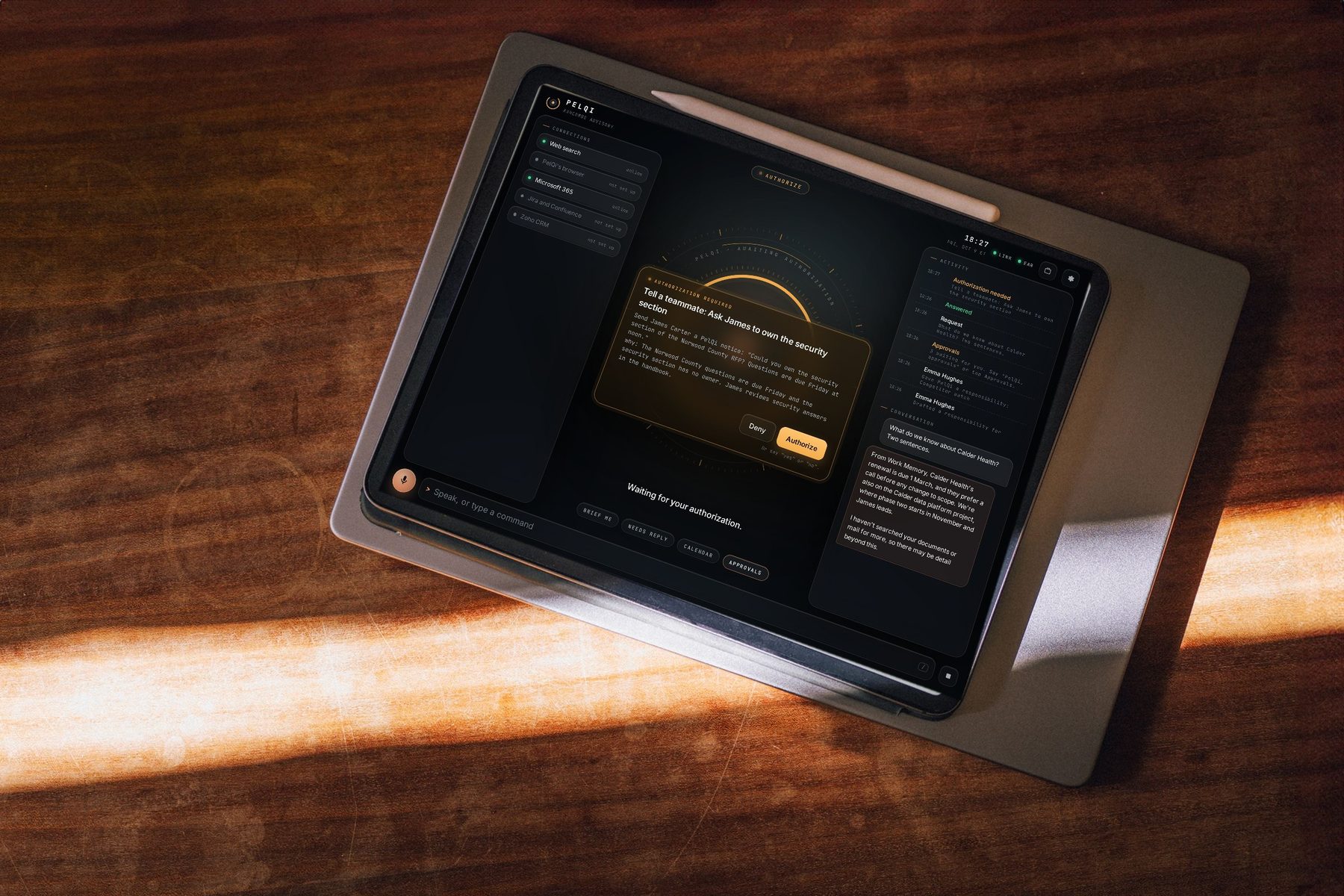
Say “PelQi.” It answers, then asks.
The voice screen from the original PelQi, now inside PelQi Work. Talk to it like a chief of staff: it answers from the workspace, and when something waits for your approval it reads it to you. Say yes or no, or tap.
- A wake word that runs in your browser
- Every approval read out, decided in the same queue
- A brief the first time you open it after three
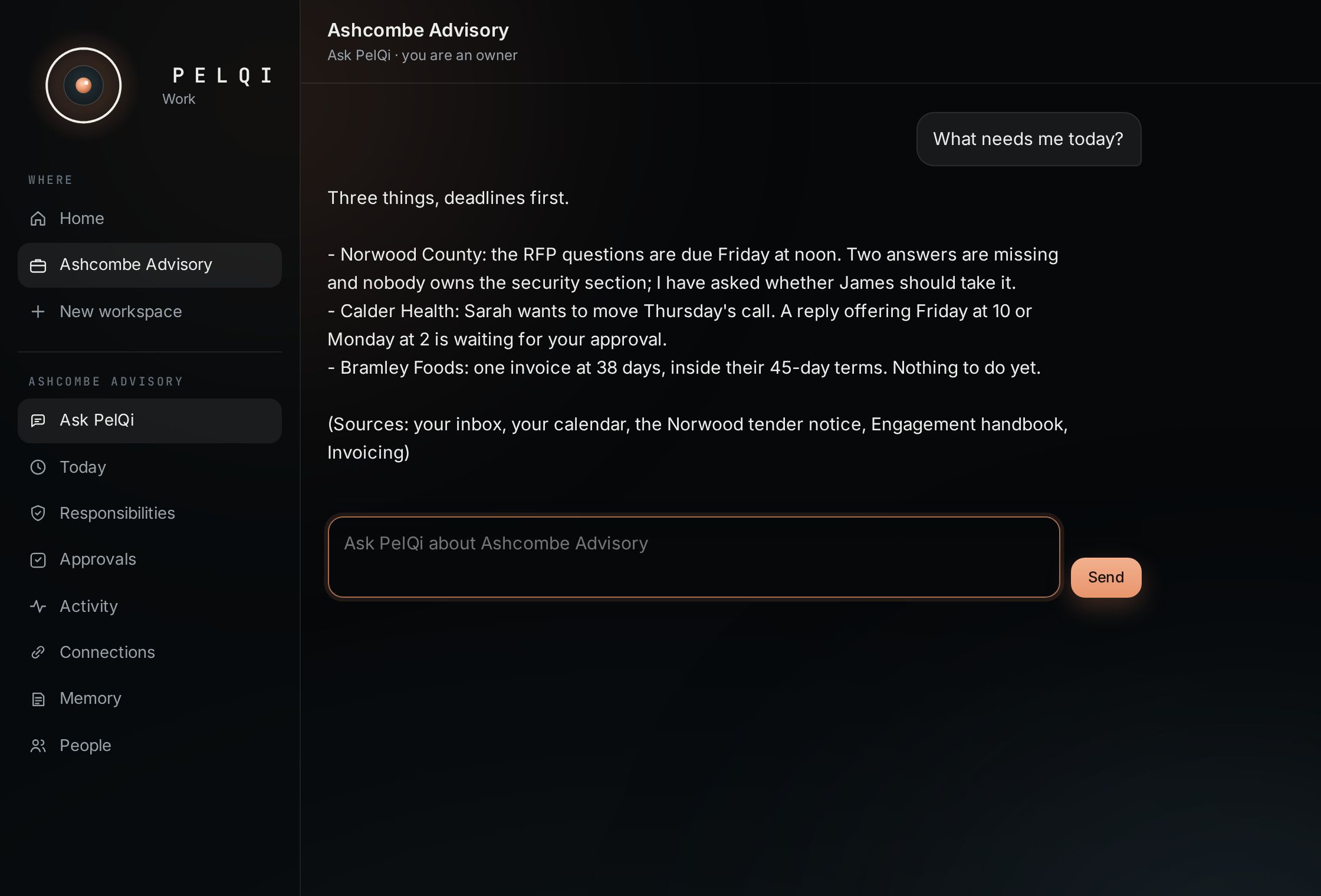
Ask about the business. Get the sources.
Ask what needs you, what a client agreed, or what the handbook says about late invoices. PelQi answers from Work Memory, the documents your team added and, once connected, your own mailbox and calendar, and names where each point came from.
- Answers cite the document or system they came from
- Email text is information, never instructions
- If it cannot find it, it says so
Built to be checked.
Activity and evidence
Every run files a report: what it looked at, the sources you can open, and an honest check of each goal. Pages PelQi reads in its own browser are kept as screenshots, under “What PelQi saw”.
Work Memory
What the team wants PelQi to know about the business, visible and editable. Every change keeps the earlier version, so anything can be walked back. It refuses passwords, keys and card numbers.
Connections
Web search, PelQi’s own isolated browser, and Microsoft 365 mail and calendar, each person with their own sign-in. Jira, Zoho CRM, Teams and Varqeni come next. All integrations
Bring PelQi to work.
The pilot is open to a small number of teams. Tell us the first outcome you would hand it.
Microsoft 365 and Outlook are trademarks of Microsoft; PelQi connects through their published interfaces with your own account, and no partnership or endorsement is implied. The screens are PelQi Work with a fictional company and demo data. Photos are licensed stock and show models, not PelQi customers.