Manage or cancel your plan
Updated 18 October 2026
You can cancel at any time, in PelQi on the web or in the iPhone app. When you cancel, you keep your plan until the end of the period you have paid for, then move to Free with your memory, lists and conversations intact.
Cancel your plan
- Open your account at the bottom of the menu and choose Plan and usage.
- Under Your plan, choose Cancel plan.
- Confirm. PelQi says "Cancelled. Your plan stays until the period ends."
Changed your mind?
Before the period ends, open Plan and usage on the web and choose Keep (for example Keep Plus). Your plan carries on renewing as before.
Update your card, change plan or see invoices
- On the web, open Plan and usage and choose Manage billing. Stripe's billing page opens.
- Update your card, switch between monthly and yearly or between plans (Stripe works out the difference), see invoices, or cancel there too.
What you should see
After cancelling, the plan shows "Cancelled. It ends on" a date, then you move to Free. Nothing further is charged.
If it does not work
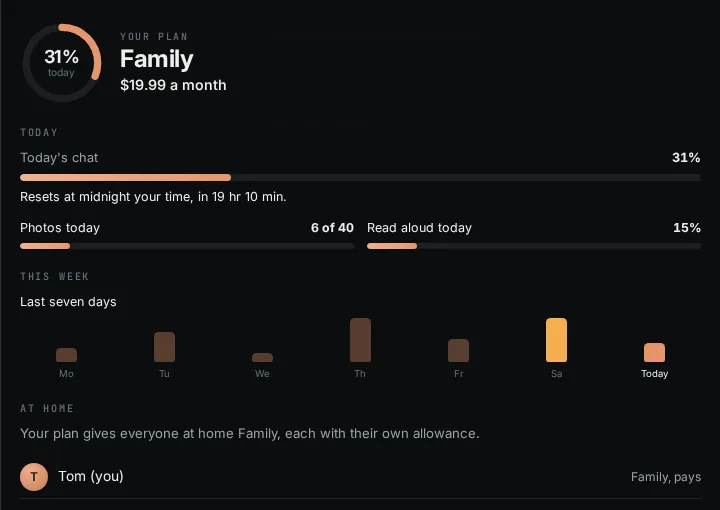
- No Cancel plan button: only the person who pays sees it. If you are covered by someone else's Family or Max, the plan says "Yours through your household", and the payer cancels.
- No Manage billing or Keep button in the iPhone app: those are on the web only. Cancel plan works in the app.
- Deleting your account also stops a paid plan from renewing. See Delete your account.
- Cancelling does not refund the current period. See Refunds.
Still stuck?
Email info@fortisdatagroup.com with what happened, what you expected and the device you use (for example, iPhone app, or Chrome on Windows). A person reads every message and answers within two working days. Never send a password or a code.
Common questions are also on the support page.