I cannot sign in
Updated 18 October 2026
You sign in to PelQi with the email and password you chose when you made your PelQi. If PelQi does not let you in, the message under the Sign in button says why. This page explains each one.
Try these first
- Check the email address for a typing mistake or a space at the end. Use the same address you signed up with.
- Passwords are case sensitive. Check Caps Lock, and that your phone has not capitalised the first letter.
- Sign in on the PelQi page itself: app.pelqi.com/login, or pelqi.com/login.
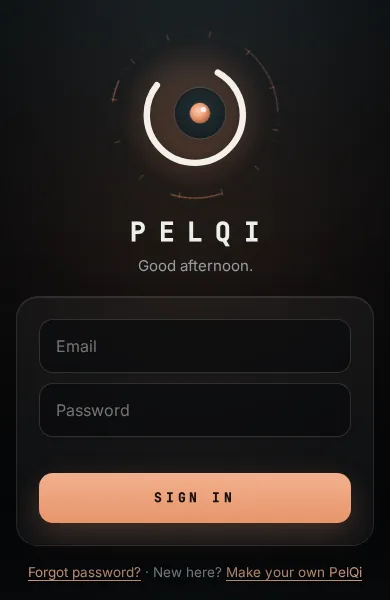
What each message means
- "That email and password do not match." Either the email has no PelQi or the password is wrong. PelQi does not say which, so nobody can find out who has an account. If you are not sure of the password, use Forgot password?: see Reset your password.
- "Confirm your email first. I sent you a new code." You made your PelQi but never typed in the six-digit code. PelQi has sent a fresh one and takes you to the code box. See Confirm your email with the code.
- "Too many attempts. Try again in 15 minutes." Several wrong tries came from your connection in a short time. Wait 15 minutes, then try once, carefully, or reset your password instead.
- "Please complete the security check, then sign in again." This appears on pelqi.com/login when the security check box was not ticked. See The security check box is missing.
- "Please sign in from this page." The sign-in came from somewhere other than pelqi.com. Sign in again on the page you are shown.
Children's profiles
Children do not have their own sign-in. A grown-up signs in and taps Use their PelQi in Family. See Children's profiles.
What you should see
PelQi's eye turns green and your chat (or Today, if you chose that) opens. If you never finished choosing a voice and personality, PelQi takes you back to that step first.
If it still does not work
Email info@fortisdatagroup.com from the address you signed up with. Say what message you see and which device and browser you use. Never send your password.
Still stuck?
Email info@fortisdatagroup.com with what happened, what you expected and the device you use (for example, iPhone app, or Chrome on Windows). A person reads every message and answers within two working days. Never send a password or a code.
Common questions are also on the support page.